
GitHub Integration
If your team uses GitHub for issue management you can easily connect PageProofer to your GitHub repo. As notes and comments are added in PageProofer, issues will be added and updated in GitHub with links back to the specific page and note where the PageProofer note was added.
With GitHub webhooks as the issues are updated in GitHub, comments and updates are sent back to PageProofer to keep the two systems in sync.
-
Go to the ‘Site Settings’ screen in PageProofer, click the ‘Integrations’ tab and then click the ‘GitHub’ link.

-
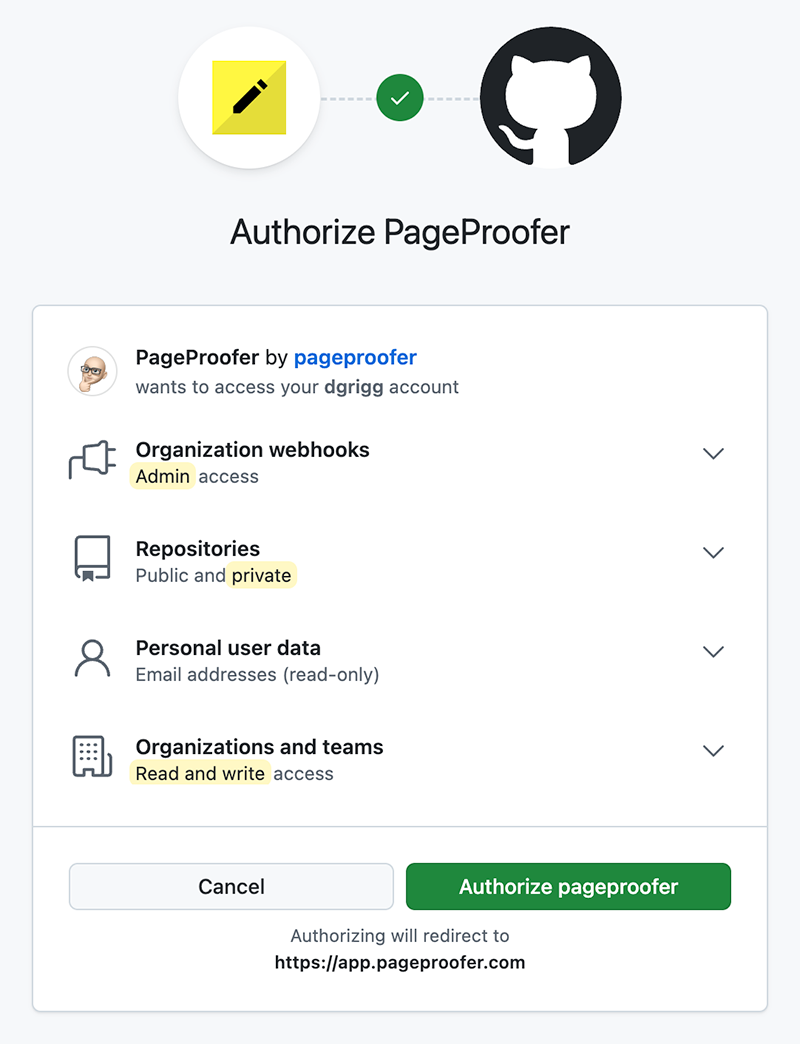
Allow PageProofer to have secure access to your Basecamp account.
-
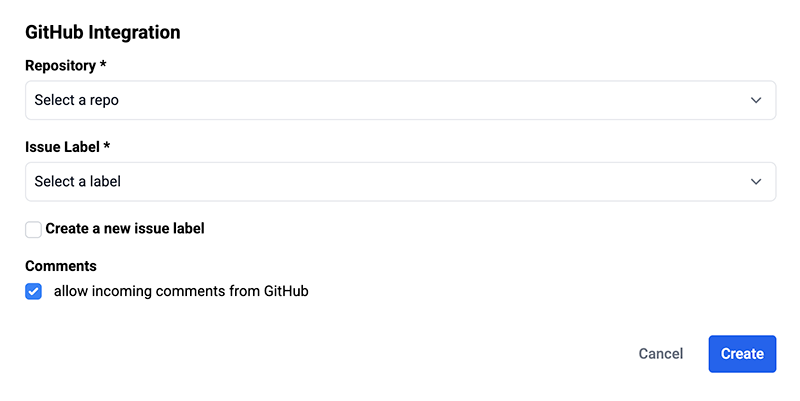
Select the GitHub repo you want connected to your PageProofer site and then select or add an Issue label that will get added to each incoming issue.
-
Every time a note is created in PageProofer an Issue will be created in GitHub. The full note content and a direct link back to the page and note will be added in GitHub. When comments are added to the note, the same comment will be added to the GitHub issue.
PageProofer can automatically assign GitHub issues to specific users when notes are added as issues in GitHub. Have each PageProofer user click the My Settings link on the left nav bar, click the Integrations tab and then click on the GitHub logo. This will link their PageProofer account to their GitHub account. As note/issue user assignments change, both systems will stay in sync.
-
Click on the ‘My Settings’ link in PageProofer after you have signed in
-
Click the ‘Integrations’ and then ‘GitHub’ link in the Integrations list
-
Allow PageProofer to have secure access to their GitHub account.
-
Their user profile is now connected to GitHub.