
Why is PageProofer so easy to use?
PageProofer is designed to be the easiest way to leave feedback and track issues during website development. We took the simplicity of a sticky note and applied it to website feedback and issue tracking.
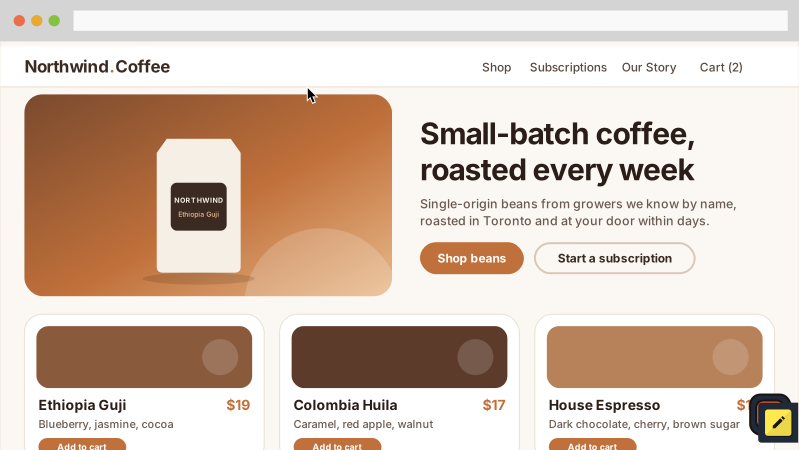
We added PageProofer to this page for you to try out. Click the button in the lower right corner to see how easy it is to use.
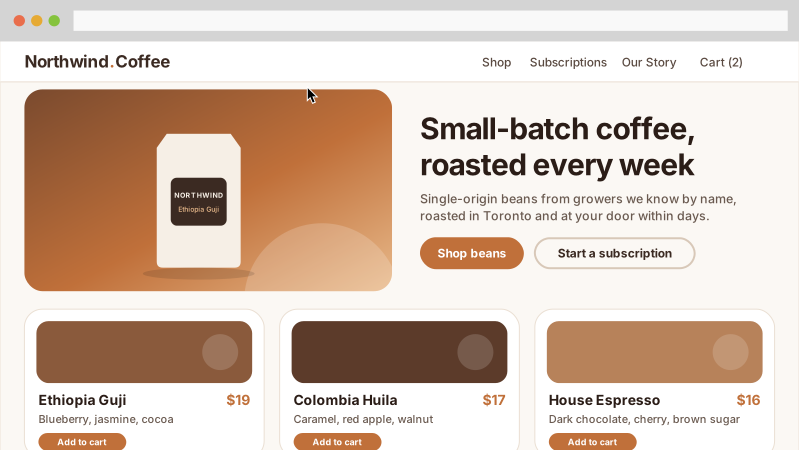
Intuitive and Easy
It's simple. If you spot a typo, problem or a bug on a website click the PageProofer icon and then click anywhere to leave a note. PageProofer outlines the element under your cursor so you know exactly where it will go, and the note gets 'stuck' to that element and page. Whenever you, or anyone on your team, visits the page they will see the note exactly where you left it, with all the important details.
Say hello to simple bug tracking and feedback collection.
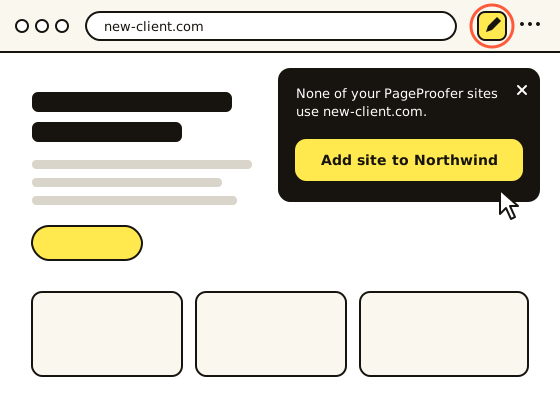
Start in seconds, no code needed
Don't wait on a developer or a deploy to get feedback started. Install the PageProofer extension for Chrome or Edge, click the button on any of your sites and PageProofer appears on the page. No embed code, no plugins, nothing to change on your website.
Add a site in one click
Admins can add a new site right from the website itself. Click the extension on a site that isn't in PageProofer yet, then click Add site. The domain is filled in for you and you can leave your first note straight away. Add the embed code whenever you're ready for clients and guests to join in. Every plan includes unlimited sites, so you never have to choose which client projects get feedback. To compare what each plan includes, see PageProofer pricing and plans.
Record your screen
Sometimes you need more than a note or a picture to clearly explain an issue. With video capture, you can record a video while interacting with a website. It will record what is happening on the screen and whatever you are saying to help explain the issue. The recording is attached to a note and shared with your team. Turn on the pen to draw on the page while you record: circle the problem as you talk about it and the ink fades away on its own. It's the perfect way to explain a tricky problem and help your team collaborate better.
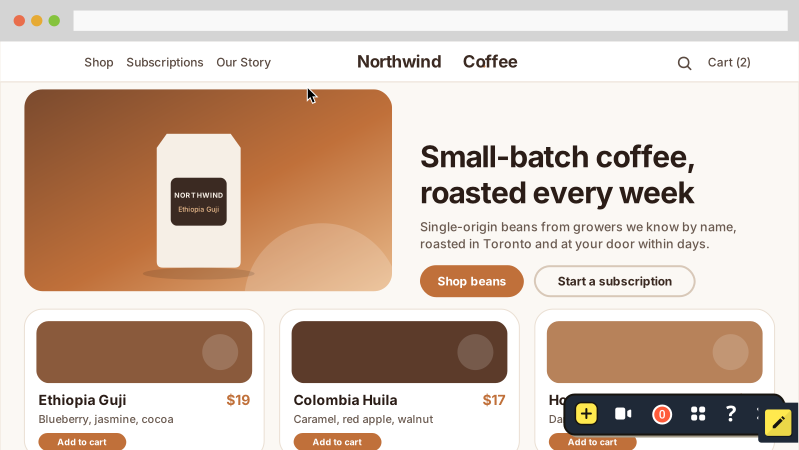
Screen annotations
Click and draw anywhere on your website and then capture a pixel perfect screen shot. With PageProofer on your website it's really that easy to add a drawing to perfectly explain and show what needs to get fixed. Remove any confusion about what needs to get fixed with a quick, simple drawing.
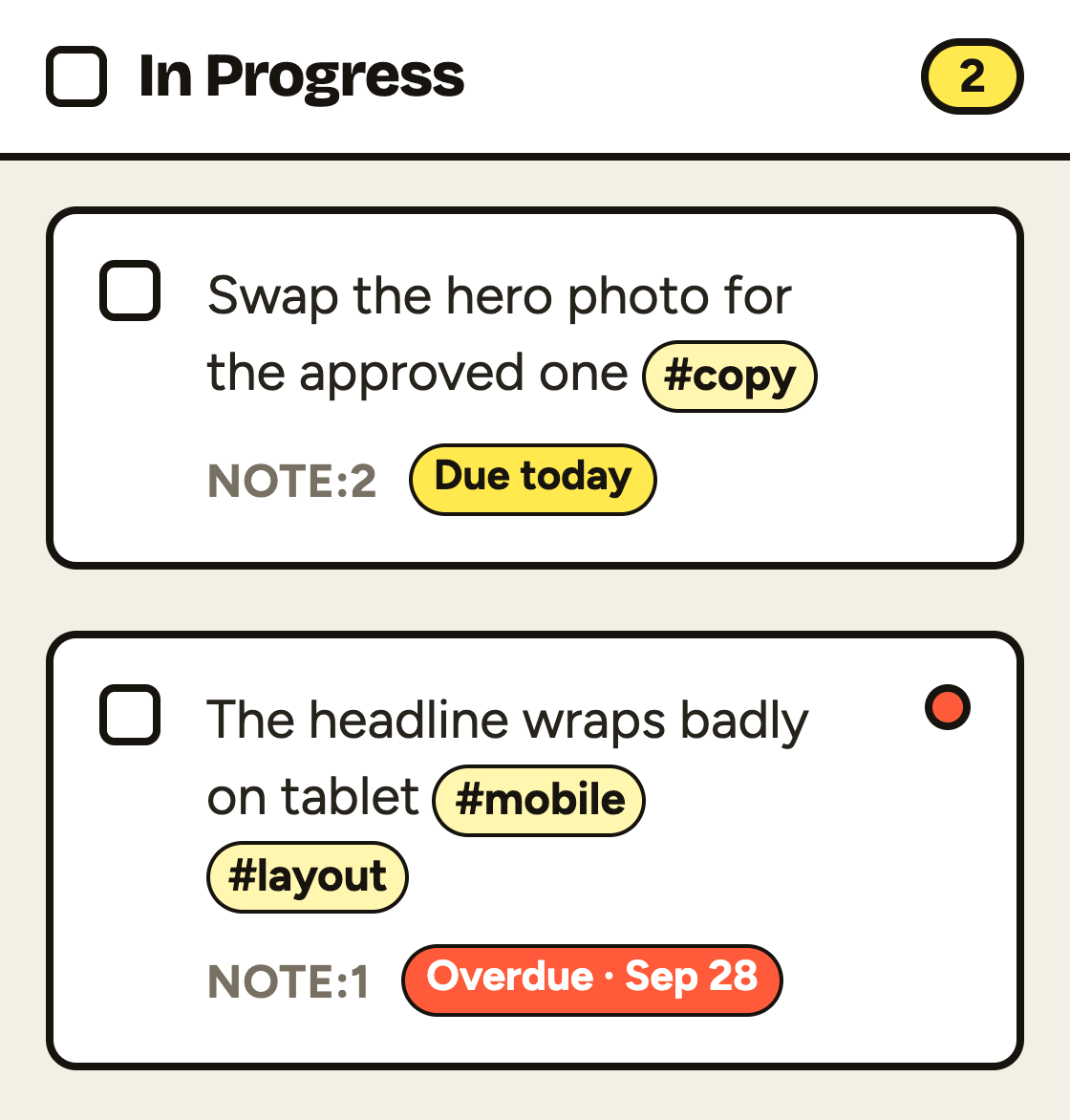
Tags that find things
Type # in any note or comment to tag it. PageProofer suggests the tags already used on the site, or you can add a new one. Search for #mobile on the dashboard, or filter by tag, to see every note that needs the same fix.
Due dates
Give a note a due date and everyone knows when it needs to be done. Cards show what's due today and what's overdue at a glance, and the Due filter pulls up the work that's slipping.
The feedback tool I've been looking for.
 Pontus Befound
 The developers we work with are loving it!
 Jessica Granuldisk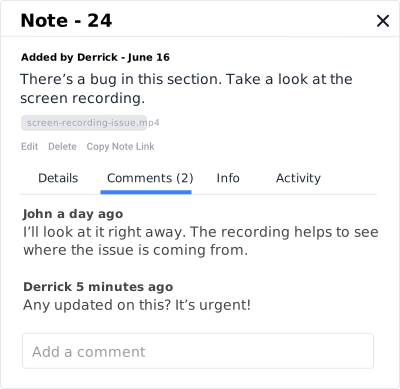
Get feedback instantly
If you see an issue on your website, leave a note about it. Don't wait for someone to fill in complicated bug tickets or document all the issues in a cumbersome spreadsheet and then send an email.
Everything is in one place
All the feedback, notes and comments are available securely, right on your website. You can attach files (docs, images, pdfs) to any note or comment.
Your client has a single place to leave feedback and your team has a single place to find it.

On any device
View and test your website in any browser on any device (desktop, tablet, smart phone). If something isn't right, leave a note about it.
In any browser
We support all modern browsers: Chrome, Edge, Firefox and Safari across desktop and mobile.
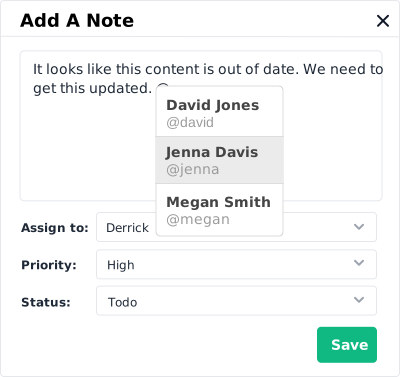
Easy collaboration
Stop keeping track of emails, spreadsheets, notes and out of date documents. Simply have conversations and collaborate right on your website.
@ Mentions
With @mentions you can instantly notify anyone on the project that something needs to be addressed.
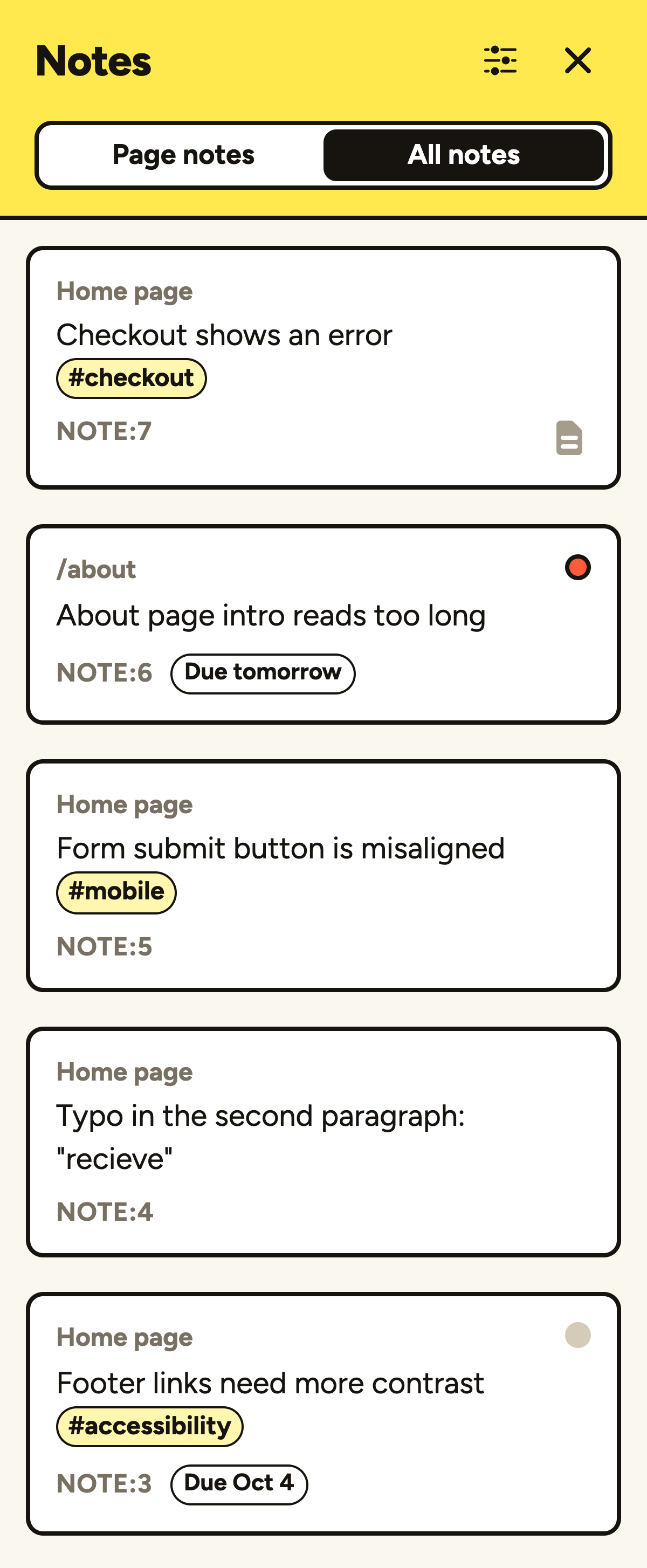
Every note, from any page
The notes list shows the notes on the page you're looking at, or switch to All notes to see everything on the site. Click one on another page and PageProofer takes you straight there with the note open.
Keyboard shortcuts
Press N for a new note, R to record, L for the notes list and ? for the rest. Feedback goes even faster when your hands stay on the keyboard.
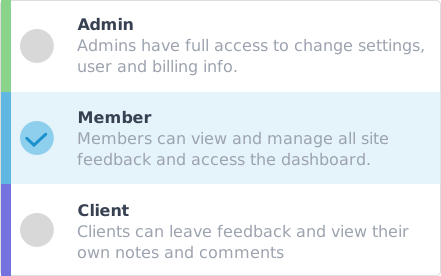
Easy user management
You decide who can see PageProofer on your website, everyone or only invited users. Easily set user permissions to control who can see what. You can even lock notes and comments so only Admins and Members can read them.
Guest feedback, no account needed
Clients and other reviewers can leave feedback as guests without creating an account, so you don't have to set up logins for every stakeholder. Guest notes get the same captured details as everyone else's. See how guest feedback works.
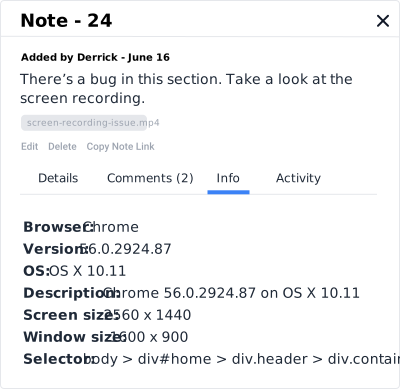
Pinned to the exact element
When someone leaves a note, PageProofer automatically records the clicked element's CSS selector and HTML, plus a screenshot of the page. Developers can find the exact element in the code instead of guessing which 'button near the top' the client meant.
Console errors and failed network requests
Every note captures the browser, version, operating system and screen size, plus the page's recent console errors and failed network requests, scroll position, language and timezone. Developers see what went wrong without asking, and you can turn console capture off for any site. Learn more about console errors and page details.
Brilliant, thanks, really impressive service!
 Ben Neptik
 My web dev guys love your service - they call it a game changer. :-)
 Chenxi TwistLock
 Let your AI agent fix the feedback
PageProofer runs a hosted MCP server, so coding agents such as Claude Code and Cursor can read feedback notes, including the captured selector, HTML and console errors, make the fix in your codebase and reply on the note.
The client's note goes straight to the agent with the context it needs, and the client sees the reply on the page. Read more about PageProofer for AI agents, or find out how to connect an AI agent.
Work through the open #mobile notes on Northwind Coffee. Fix each one, commit, comment with what you changed and move it to Review.
- Fixes, commits and comments on each note in turn
- Every step shows in the note's Activity tab, marked "via AI agent"
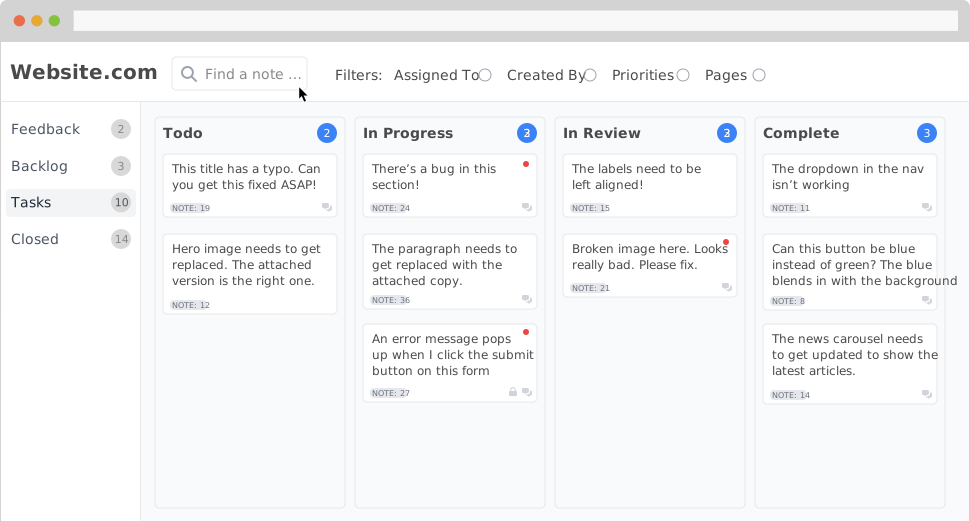
Your team can see the whole picture
With the project dashboard your team can quickly see all notes and full details. You can search, filter by tags and due dates, and find specific notes to update as needed. Easily manage your workflow, assign priorities and update statuses so nothing gets missed.
3rd Party Integrations
Is your team using a project management or collaboration tool? Good news, PageProofer integrates with industry leading solutions. Every time you create a note or comment in PageProofer, we will automatically push a notification to the tool(s) you use. PageProofer works with Trello, Asana, Basecamp, Slack, Jira, GitHub, ClickUp, Linear and monday.com. Don’t see an integration you need, let us know. Using Basecamp? You can send feedback to Basecamp as to-dos, each linked back to the page and note.

I love the service, it has been a critical piece of our web dev success for the past several builds.
 Tyler Conversion First Marketing
 I can't say enough about the service and will continue to tell others how great of a tool it is for designers and developers.
 Megan BBDO
 Join thousands of other top designers and developers.
Start using PageProofer to make giving feedback easy! Sign up now for your free 15 day trial. No credit card required.