
← Back to Help How To
Console errors and page details
When someone leaves a note on your website, PageProofer attaches what a developer needs to track the problem down, so nobody has to ask “what browser were you using?”
Open a note and choose the Info tab to see:
- Browser details: browser, version, operating system, screen and window size.
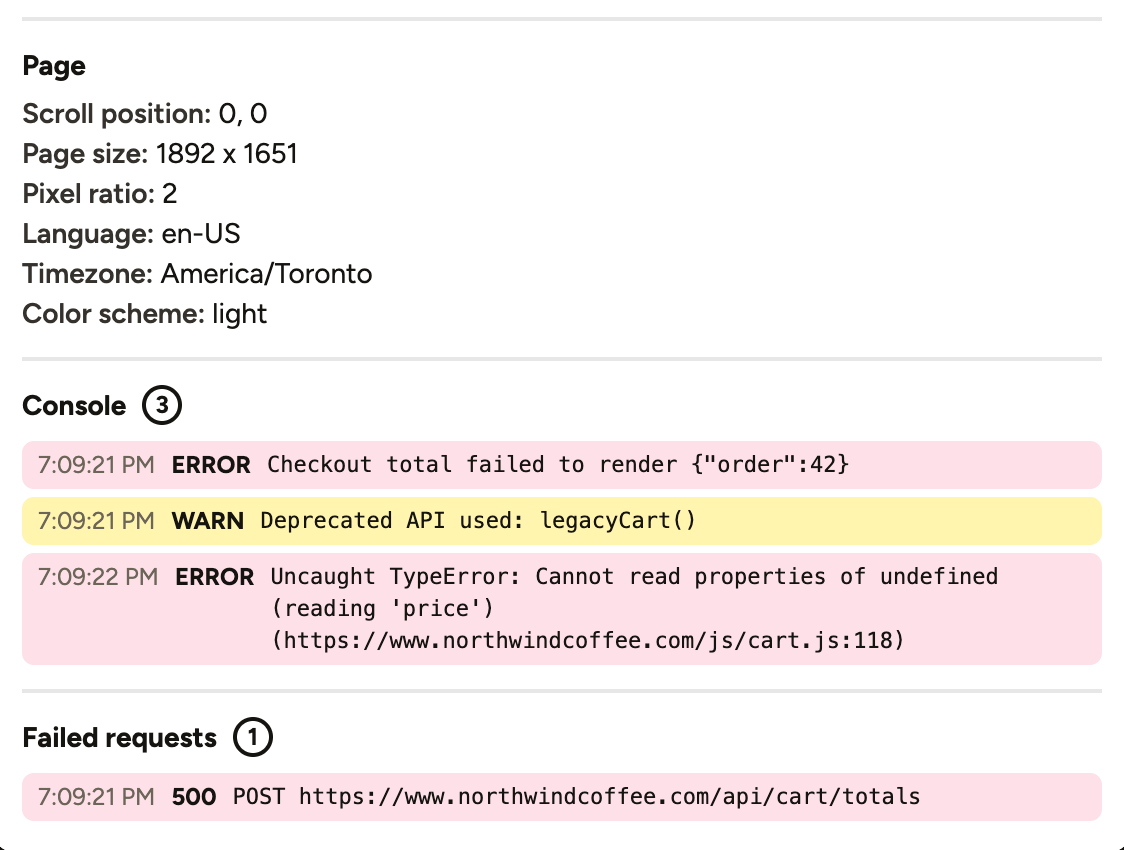
- Page: scroll position, page size, pixel ratio, language, timezone and colour scheme.
- Console: the page’s recent errors and warnings, including uncaught errors with the file and line.
- Failed requests: network requests that failed or returned an error, with the status code.
Privacy
Only the most recent 50 entries are kept, long messages are shortened, and query strings are removed from request URLs because they can contain tokens or personal details.
Console capture is on for new sites. For sites added before it was introduced it starts off, so you can decide first; turn it on in Site Settings by ticking Attach console errors and failed requests.
If your website logs personal information to the console, leave it off or untick it for that site. Browser and page details are still recorded either way.
