
← Back to Help How To
See all notes on your site
The notes list on your website shows the notes left on the page you’re looking at. Switch to All notes to see every open note on the site, from any page.
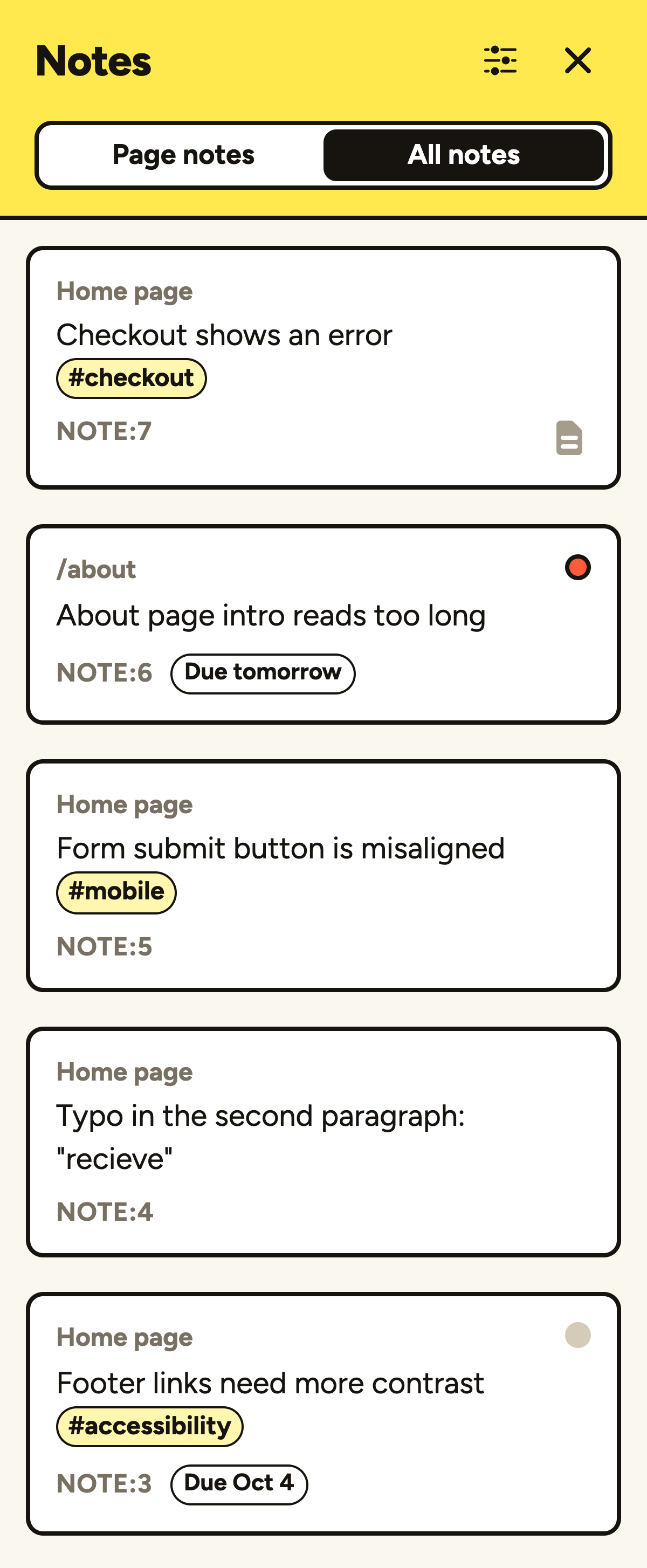
Using the notes list
- Open PageProofer on your website and click the notes button in the toolbar (or press
L). - Choose Page notes or All notes at the top of the list.
- In All notes, each note shows the page it was left on. Click a note on another page and PageProofer takes you to that page with the note open.
The filters in the notes list work in both views, so you can, for example, show only the high priority notes across the whole site.
Clients and guests only see the notes they’re allowed to see, in both views.
If a note’s element can’t be found on the page any more, a Lost & Found link appears at the top of the list. See Why are some notes in Lost & Found?