
What Is DESIGN.md? The Design Brief for AI Coding Agents
You ask your coding agent for a landing page and get the one everyone gets. Blue buttons, grey cards, system fonts and a gradient blob behind the hero. You correct it and it improves, then the next session it’s forgotten all of it.
A DESIGN.md file fixes the forgetting part. This guide covers what it is, what goes in it, and how it fits next to CLAUDE.md and AGENTS.md. It also includes a complete example you can copy and a way to check the result once the agent is done.
What is DESIGN.md?
DESIGN.md is a markdown file at the root of your project that tells AI coding agents how your interface should look. It holds your exact design tokens (colours, type, spacing, corner radius) plus the reasoning for when to use each one. It’s the design brief you’d hand a new developer, written so an agent can read it too.
It solves two problems. Without it, agents fall back to defaults: blue primary buttons, grey backgrounds, whatever font the framework ships with. They also forget your corrections between sessions, because nothing you said in chat carries over.
The file has two layers:
- YAML front matter at the top holds the values: colours, type sizes, spacing and component styles, in a form a machine can parse.
- Markdown prose below holds the rules: when to use each colour, what never animates, what the brand should feel like.
You don’t have to start from a blank page. Our free theme generator that exports a DESIGN.md will build one for you. More on that below.
Where the DESIGN.md format came from
Google Labs created the format inside Stitch, its AI design tool. It was reported as open-sourced in April 2026 under the Apache 2.0 licence. The spec comes with a command-line tool that lints your tokens, checks colour pairs against WCAG contrast ratios, and exports to a Tailwind config or the W3C Design Tokens (DTCG) format.
The community picked it up quickly. The awesome-design-md repository collects ready-made files modelled on brands like Stripe, Linear and Vercel. Reported counts range from a few dozen to 69+, and the list keeps growing. There are also agent skills, such as ibelick’s create-design-md, that write a file for you.
Is it an official standard? It’s an open spec with a permissive licence, not something a standards body has ratified. It’s plain markdown, so any agent can read it. Field names can change between versions, so check Google Labs’ spec repository on GitHub before you rely on a particular one.
That’s the history. The useful part is what you do with it.
DESIGN.md vs CLAUDE.md vs AGENTS.md vs Cursor rules
Most people asking about DESIGN.md already have a CLAUDE.md, an AGENTS.md or a folder of Cursor rules. The difference is simple. Those files tell the agent how to work. DESIGN.md tells it how the product should look.
| File | What it covers | Who reads it | Where it lives | Format | Loaded automatically? |
|---|---|---|---|---|---|
| DESIGN.md | Visual design: tokens, component styles and states, do’s and don’ts | Any agent you point at it | Project root | YAML front matter plus markdown | Don’t count on it. Reference it explicitly |
| CLAUDE.md | Commands, conventions, architecture, testing | Claude Code | Project root (also subfolders and your user folder) | Markdown | Yes, by Claude Code |
| AGENTS.md | The same as CLAUDE.md, in a tool-neutral form | Codex, Copilot, Cursor and other tools that support it | Project root (nested files allowed) | Markdown | Yes, by tools that support it |
| Cursor rules | Project rules scoped by file type or task | Cursor | .cursor/rules/ | Markdown files with a small metadata header | Depends on the rule type: always, by file pattern, or on request |
You still need AGENTS.md or CLAUDE.md. DESIGN.md doesn’t tell the agent how to run your tests or name your branches. It just stops your build commands and brand colours from sitting in the same file.
How to wire them together
As of October 2026, I wouldn’t trust any agent to find DESIGN.md on its own. Point to it from the file the agent already loads. Syntax changes between versions, so check your tool’s docs.
Claude Code. CLAUDE.md supports imports with an @ path, so the whole file gets pulled into context:
## UI work
Follow @DESIGN.md for all UI work. Use only the tokens it defines.
AGENTS.md (Codex, Copilot and others). There’s no shared import syntax, so name the file and give a clear instruction: “Before changing any UI, read DESIGN.md in the project root and follow it.”
Cursor. Add a rule such as .cursor/rules/design.mdc that attaches when you touch UI files:
---
description: Visual design rules for UI work
globs: **/*.tsx, **/*.css
alwaysApply: false
---
Read @DESIGN.md before changing any UI. Use its tokens and component rules.
Pick one source of truth
This is the trap I see most. Your tailwind.config says the primary colour is one blue, your CSS variables say another, your shadcn theme says a third, and DESIGN.md says terracotta. The agent won’t ask which one is right. It’ll mix them.
Decide which file wins. My preference is to make DESIGN.md the source and generate the Tailwind or CSS values from it, so they can’t drift apart.
What goes in a DESIGN.md file
Here are the sections that earn their place. The core token groups in the front matter are colours, typography, rounded corners, spacing and components. Elevation and motion are easiest to handle in prose. Check the current spec if you want them as tokens.
- Overview. Two or three sentences on the brand’s personality and who the site is for. This is what the agent falls back on when no rule covers a situation.
- Colour tokens. A small set named by role (primary, surface, ink, muted), each with an on-colour pair for text on top of it. The pairs are what keep contrast readable.
- Typography roles. Display, headline, body and label, each with family, size, weight and line height. Name them by job, not by size.
- Spacing scale. Five or six steps. A fixed scale stops the agent picking 13px because it looked about right.
- Radius. Usually two or three values. Mixing sharp and round corners is a fast way to look generic.
- Elevation and shadows. Where shadows are allowed and how strong they are. Many brands want almost none.
- Motion. Durations, easing, what animates and what never does. Agents love to add a fade-in to everything.
- Component rules. Buttons, inputs, cards and nav, including hover, focus and disabled states. If you don’t define states, you’ll get the browser defaults or nothing at all.
- Do’s and don’ts. The most underused section and the most effective one. “Never use the accent colour for large areas” saves more back-and-forth than ten tokens.
- References. One or two live sites and what to take from each.
The main advice is to record the design language, not every value. A design system for AI works best when it’s small. Twelve colours named by role, with a sentence each on when to use them, beat forty hex codes with no explanation.
A complete DESIGN.md example
Here’s a full file for a fictional brand, Fieldnote Studio, a small design and writing studio with a warm editorial feel. It’s original, so copy it, rename it and change the values.
---
name: Fieldnote Studio
description: Warm editorial site for a small design and writing studio.
colors:
  background: "#FAF6EF"
  surface: "#FFFFFF"
  ink: "#1F1B16"
  muted: "#6B6259"
  line: "#E4DCCF"
  primary: "#B5482A"
  primary-hover: "#963A21"
  on-primary: "#FFFFFF"
  accent: "#E3A33B"
  on-accent: "#1F1B16"
typography:
  display-lg:
    fontFamily: Fraunces
    fontSize: 56px
    fontWeight: 600
    lineHeight: 1.05
    letterSpacing: -0.02em
  headline-md:
    fontFamily: Fraunces
    fontSize: 32px
    fontWeight: 600
    lineHeight: 1.15
  body-md:
    fontFamily: Source Sans 3
    fontSize: 18px
    fontWeight: 400
    lineHeight: 1.6
  label-md:
    fontFamily: Source Sans 3
    fontSize: 15px
    fontWeight: 600
    lineHeight: 1
    letterSpacing: 0.02em
rounded:
  sm: 4px
  md: 8px
  full: 9999px
spacing:
  xs: 4px
  sm: 8px
  md: 16px
  lg: 24px
  xl: 48px
  section: 96px
components:
  button-primary:
    backgroundColor: "{colors.primary}"
    textColor: "{colors.on-primary}"
    typography: "{typography.label-md}"
    rounded: "{rounded.sm}"
    padding: 14px 22px
  button-primary-hover:
    backgroundColor: "{colors.primary-hover}"
  button-secondary:
    backgroundColor: "{colors.background}"
    textColor: "{colors.ink}"
    typography: "{typography.label-md}"
    rounded: "{rounded.sm}"
    padding: 14px 22px
  card:
    backgroundColor: "{colors.surface}"
    rounded: "{rounded.md}"
    padding: "{spacing.lg}"
  input:
    backgroundColor: "{colors.surface}"
    textColor: "{colors.ink}"
    rounded: "{rounded.sm}"
    padding: 12px 14px
---

# Fieldnote Studio

## Overview
Warm, unhurried and literate, like a well-made printed journal. The site sells a
small studio's design and writing work to founders and editors. It should feel
crafted and calm, never techy or loud. When unsure, choose more whitespace and
fewer elements.

## Colors
- background is the page. surface is for cards and inputs only.
- ink is for all body text and headings. muted is for captions and metadata.
- primary (terracotta) is for one main action per screen and for links.
- accent (saffron) is for small highlights: tags, a single underline, a badge.
  Never use it for text on background, and never for areas larger than a tag.
- line is for 1px dividers and input borders. No other border colours.

## Typography
- Fraunces for display and headlines only. Source Sans 3 for everything else.
- One display-lg per page, in the hero.
- Body text max width 68ch. Never centre paragraphs longer than two lines.

## Layout & Spacing
- Use only the spacing scale. Sections are separated by spacing.section.
- Max content width 1120px. Generous left-aligned layouts, not centred stacks.
- On screens under 640px, section spacing drops to spacing.xl.

## Components
- Buttons: primary for the main action, secondary (with a 1px line border) for
  everything else. Hover darkens to primary-hover. Focus shows a 2px ink
  outline offset by 2px. Disabled is 40% opacity with no hover change.
- Links: primary colour, underlined, underline thickens on hover.
- Inputs: 1px line border, border turns ink on focus, label always visible
  above the field. No placeholder-only labels.
- Cards: surface background, rounded.md, no shadow. A 1px line border is fine.
- Nav: text links in ink, current page underlined in accent.

## Motion
- 150ms ease-out for hover and focus changes. 250ms for menus opening.
- Nothing animates on scroll. No fade-ins, no parallax, no bouncing.
- Respect prefers-reduced-motion by removing all transitions.

## Do's and Don'ts
- Do use real photography and plenty of whitespace.
- Do keep one primary button per screen.
- Don't use gradients, glassmorphism or drop shadows on cards.
- Don't use pure black (#000) or pure white text on background.
- Don't round corners beyond rounded.md, except avatars (rounded.full).
- Don't add icons to every heading.

## References
- A printed literary quarterly: take the type scale and margins.
- A good independent bookshop website: take the calm product cards.
Why some of these choices help an agent:
- “Never use the accent for large areas” stops the agent’s habit of filling a whole hero or section background with the second brand colour.
- Every colour has an on-colour pair. The agent doesn’t have to guess what text colour goes on terracotta. The pairs here were picked to clear WCAG AA contrast for body text.
- Component states are written out. Hover, focus and disabled are the first things agents skip, so they’re spelled out rather than implied.
- Motion has a “nothing animates on scroll” rule. Without it you’ll get a fade-in on every card, whether you want it or not.
- The overview gives a tie-breaker. “When unsure, choose more whitespace” covers the hundreds of small decisions no rule can list.
- The references say what to take. “Take the type scale and margins” is far more useful than “make it look like this site”.
One caveat: field names can shift between spec versions. Run the file through the spec’s CLI linter before you treat it as final.
How to create a DESIGN.md: generate, borrow or extract
There are four routes. Pick the one that matches what you’ve got.
1. Generate one
Our free theme generator that exports a DESIGN.md lets you pick colours, fonts and radius, and preview them on real shadcn and Tailwind components. Then you download the file, with YAML front matter for the tokens and prose for the rules. Edit the prose to add your own do’s and don’ts.
Best if you’re starting a new project and want something sensible in ten minutes.
2. Start from an inspiration style
Our website design inspiration collections with agent briefs group sites by style: Calm & Minimal, Precision Dark, Warm & Editorial and others. Each style comes with an agent brief that works the same way as a DESIGN.md. Pair it with one of our Google font pairings and adjust the colours.
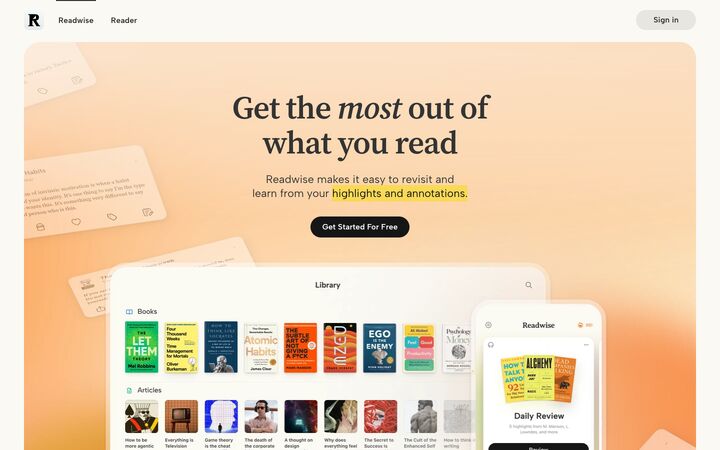
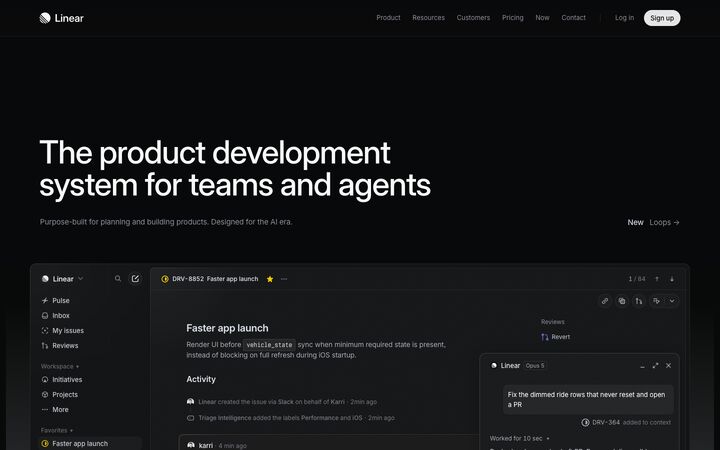
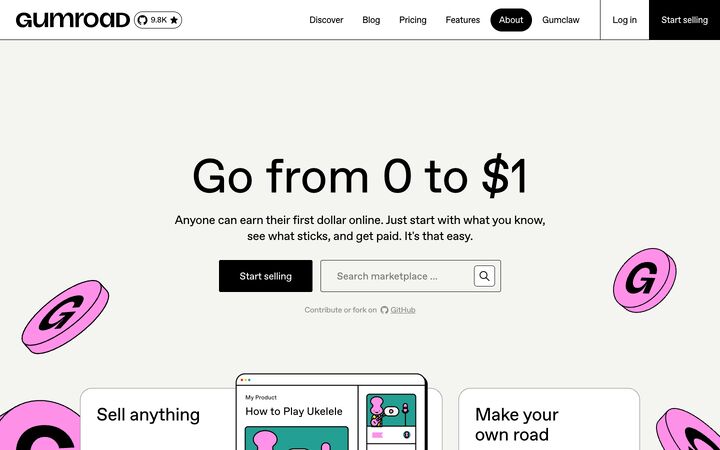
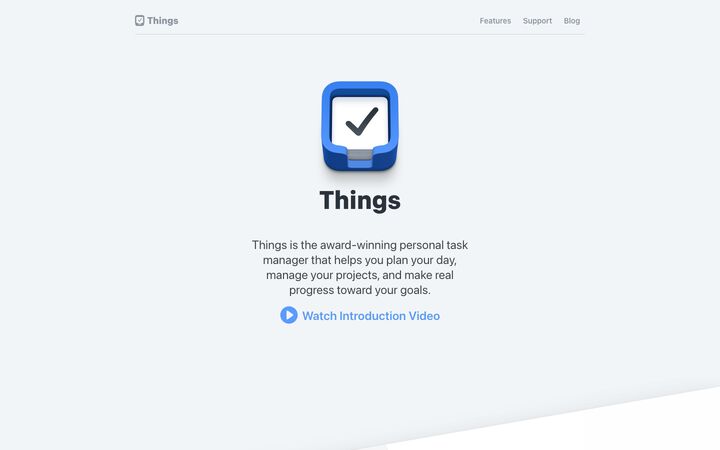


Best if you know the feel you want but not the values.
3. Extract one from an existing repo or site
Agent skills such as create-design-md can work in two modes. Repository mode reads your Tailwind config, CSS variables and components and writes down what’s already there. URL mode looks at a live site and infers tokens from what it renders.
Repository mode is the more reliable of the two. URL mode can recover values but not intent. It’ll find your terracotta, but it can’t know you only ever use it for one button per screen. Expect to write the rules yourself.
Best if you’re adding agents to a site that already has a design.
4. Write it by hand
Copy the example above and replace the values. This takes longer, but writing the don’ts yourself makes you think hard about what the brand actually is.
Best if you have a clear brand and strong opinions.
How to brief AI on design so it stops producing generic UI
The file is half the job. How you ask is the other half. Here’s how to brief AI on design so the output looks like yours and not like a framework demo.
- Reference DESIGN.md every time. Put it in your agent config and name it in UI prompts too. It costs one line.
- Give one or two reference sites, and say what to take from each. “The spacing from site A, the card style from site B” works. “Make it like site A” gets you a knock-off. The inspiration collections are a good place to find them.
- Replace adjectives with rules. “Modern” and “clean” mean nothing to an agent. “No shadows, 1px borders, left-aligned text, one primary button” means a lot.
- Build one section or component at a time. Review it, then move on. Mistakes compound fast across a full page.
- List the don’ts in the prompt as well as the file for anything that’s gone wrong before.
- Ask the agent to cite its tokens. If it can’t say which spacing step it used, it probably made one up.
A prompt I’d actually use:
Build the pricing section for the homepage.
Follow DESIGN.md exactly. Use only its tokens.
Layout: three cards in a row on desktop, stacked under 640px.
One primary button, on the middle card only. The others use button-secondary.
Define hover, focus and disabled states for every button.
Don't add shadows, gradients or scroll animations.
When you're done, list every colour, spacing and typography token you used.
When it still goes generic, it’s usually one of these:
- Conflicting theme files. Tailwind, CSS variables and DESIGN.md disagree, so the agent averages them.
- Too many tokens. Forty colours with no roles means the agent picks at random.
- No component states defined. The page looks fine in a screenshot and falls apart the moment you hover.
- Asking for a whole site in one go. The agent holds the rules for the first two sections and drifts after that.
Check the result in a real browser
Here’s the part none of the other guides mention. The agent can follow DESIGN.md perfectly and still ship something that’s off, because some problems only show up when the page is rendered. I’ve seen agents get every hex code right and still put the button text a few pixels off centre. (Every hex code. I checked twice, which is its own kind of problem.)
The usual misses:
- Spacing and alignment that’s slightly off
- Buttons and links that don’t click properly
- Missing hover and focus states
- Overlapping elements
- Animations that aren’t dialled in
- Layouts that break at certain widths
A person spots these in seconds. So the loop I use is simple:
- The agent builds.
- You review the live site and pin notes in PageProofer, using the embed script or the Chrome/Edge extension. Each note automatically records the element’s CSS selector and HTML, so the agent knows exactly which element you mean. It also records your browser and device info, plus any console and network errors.
- You add a screenshot where it helps. It’s a capture of exactly what’s on your screen, not a re-render from a screenshot service that can lose the very detail you’re pointing at.
- The agent reads the notes, fixes them and replies through PageProofer’s hosted MCP server. That’s the connection that lets Claude Code, Cursor and similar agents read your notes directly. You can set up the PageProofer MCP server in a few minutes.
- You verify and close.
Clients can leave notes as guests, with no account needed. More on the setup: fix website feedback with your AI agent, or connect Claude Code or Cursor to PageProofer.
Every plan includes unlimited sites, and the 15-day free trial doesn’t need a credit card.
FAQ
Does Claude Code or Cursor read DESIGN.md automatically?
Don’t rely on it. As of October 2026, the safe approach is to reference it yourself. Use an @DESIGN.md import in CLAUDE.md, a line in AGENTS.md, or a Cursor rule that points to it. Tool support is changing fast, so check your agent’s current docs.
What’s the difference between DESIGN.md and CLAUDE.md?
CLAUDE.md tells Claude Code how to work in your repo: commands, conventions, architecture and testing. DESIGN.md tells any agent how the product should look. Keep them separate and link from one to the other.
Do I still need AGENTS.md or Cursor rules?
Yes. They cover how the agent should work, and DESIGN.md doesn’t replace that. Most projects end up with AGENTS.md or CLAUDE.md for process and DESIGN.md for visuals, with one line connecting them.
Where does the DESIGN.md file go?
In the project root, next to your README and AGENTS.md. That’s where agents and people both expect to find it.
Does it work with Tailwind and shadcn?
Yes. The spec’s CLI is reported to export tokens to a Tailwind config, and our theme generator is built around shadcn and Tailwind. Just make sure DESIGN.md and your theme files agree, or the agent will mix them.
Can I generate a DESIGN.md from an existing website?
Yes, with an extraction skill in URL mode, or better, repository mode if you have the code. Extraction recovers values but not intent. Plan to write the do’s, don’ts and usage rules yourself.
How do I keep it updated?
Treat it like code. When you change a token or fix a recurring agent mistake, update DESIGN.md in the same commit. If you correct the agent on the same thing twice, it belongs in the don’ts.
Write the brief once, check the result in a real browser, and let the agent fix what you find.
PageProofer makes it simple to manage visual feedback.